Lorem ipsum dolor sit amet consectetur adipiscing elit Prae lacus non felis laoreet consectetur.
office hours
- Mon - Fri: 8:00am - 5:00pm
- 144 12th St. Piscataway, NJ 08854
- info@2023ddt.com

We accept digital impression files from CEREC and all other major intraoral scanners. Follow your specific scanner instructions to add our lab to your scanner. Then select Digital Dental Technology when sending your digital impression files.
To connect with us on Cerec, click “add” next to Laboratories
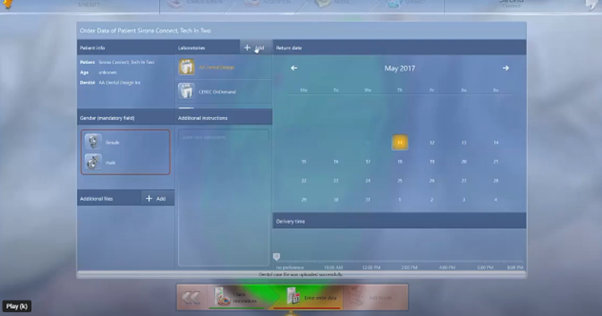
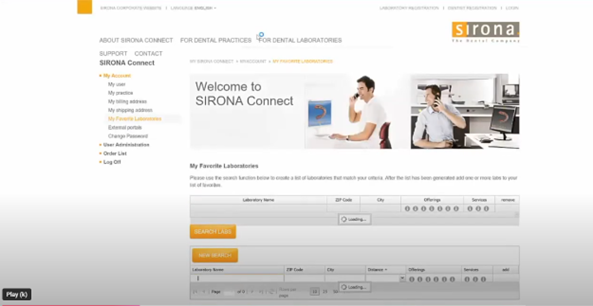
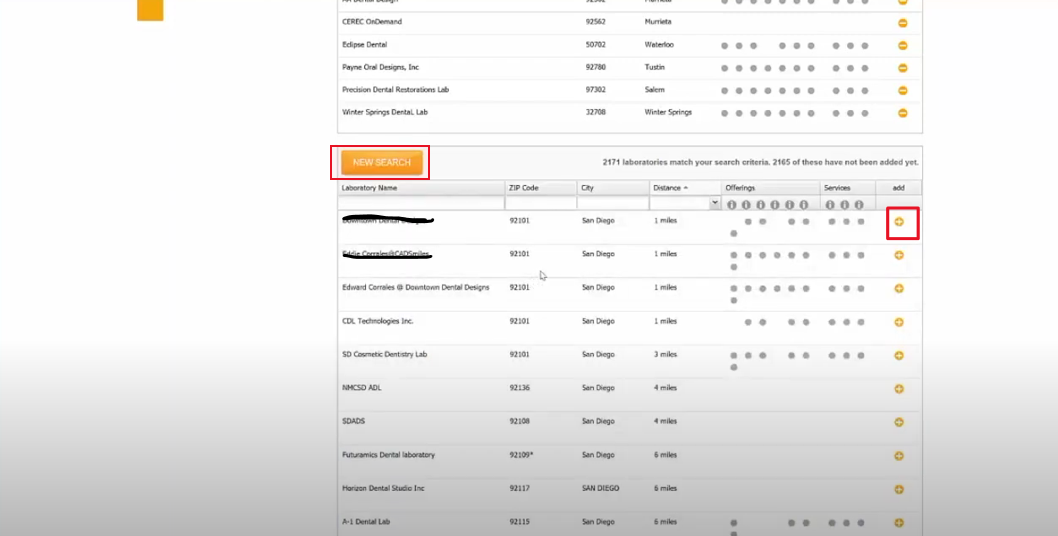
It will take you to the Sirona website and this page will pop up. Go to “my account” and select “My Favorite Laboratories”. Scroll until you see search labs.
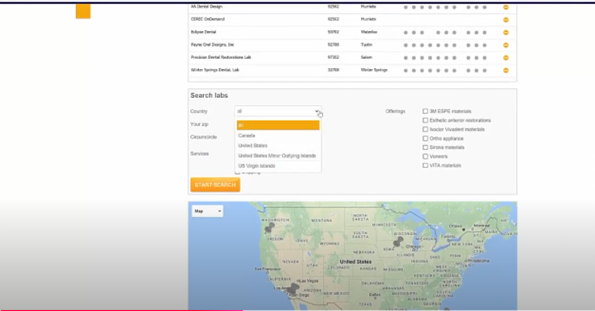
Select USA and enter our zip code 08854 and search
Once you find Digital Dental Technology, select the plus sign to add.
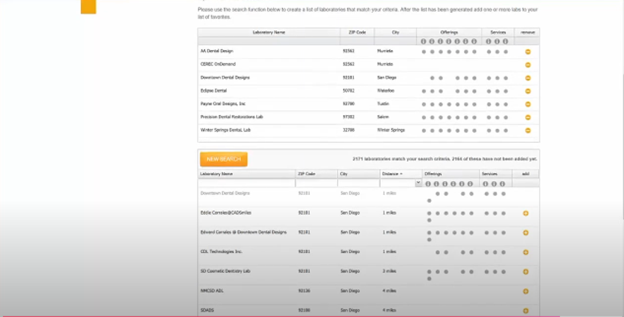
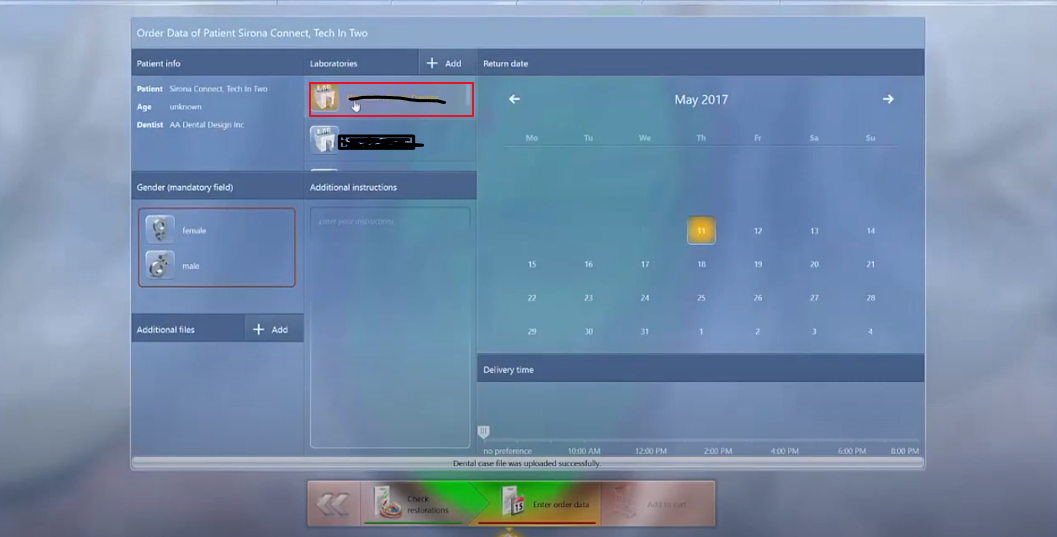
Our connection will appear here once loaded
Exit out of browser and our connection will appear here. We are now connected on Cerec (Sirona)
Lorem ipsum dolor sit amet consectetur adipiscing elit Prae lacus non felis laoreet consectetur.