Lorem ipsum dolor sit amet consectetur adipiscing elit Prae lacus non felis laoreet consectetur.
office hours
- Mon - Fri: 8:00am - 5:00pm
- 144 12th St. Piscataway, NJ 08854
- info@2023ddt.com

Login to DS Core
Login to your account and Click Connections in the 3DiscCloud™ left-hand menu.
This will open the Connections page.
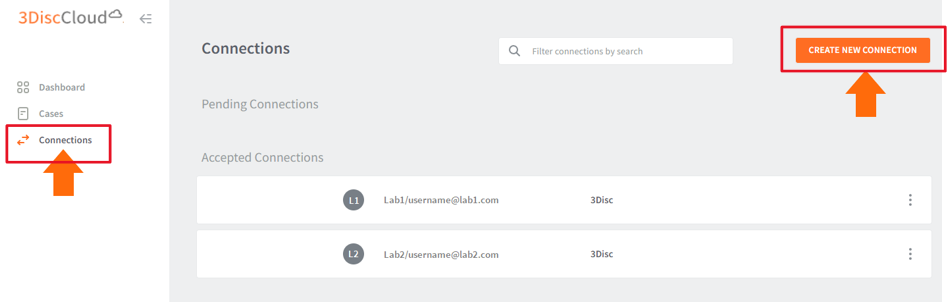
Click Create New Connection
This will open the Create Connection dialog box.
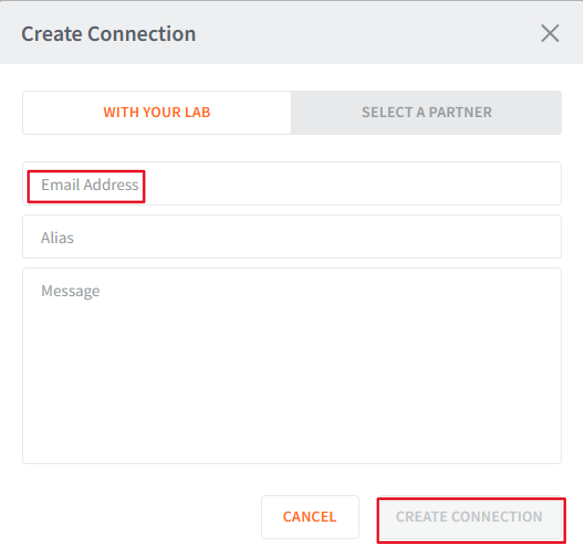
Enter the Lab email address (info@2023ddt.com)
Click Create Connection.
An email request is sent, inviting the lab to accept the connection.
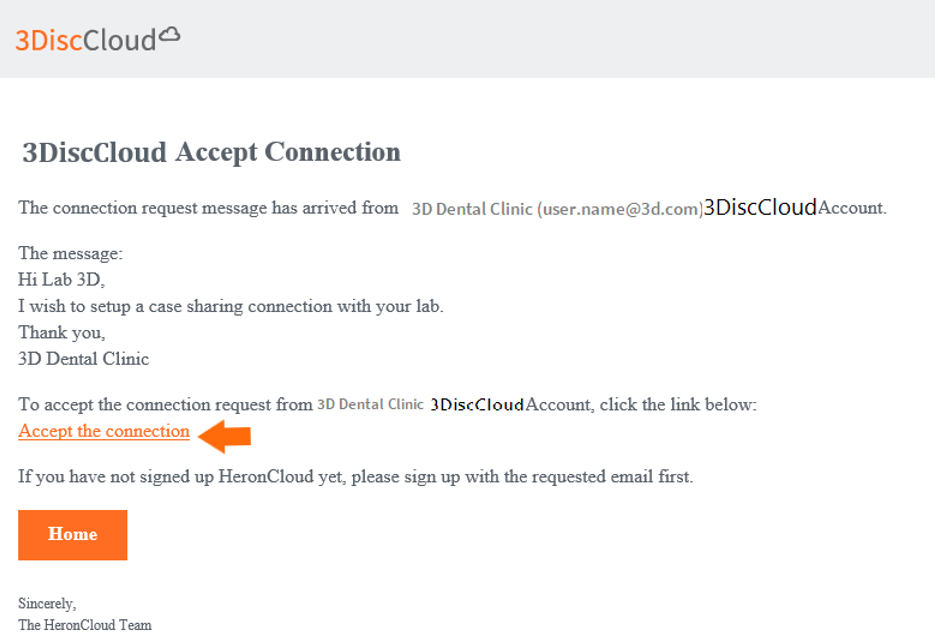
Send orders:
Current connection requests are displayed in the list of Pending Connections:
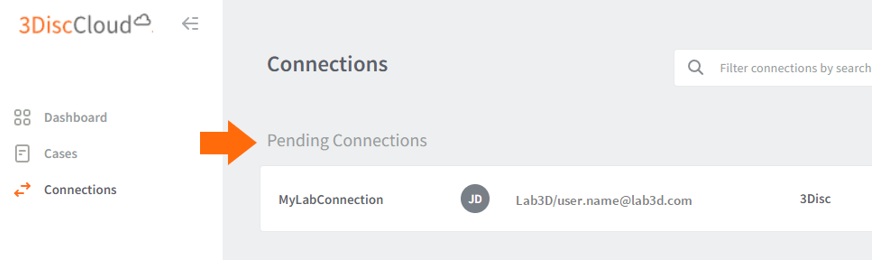
We will accept your request and be partnered on Heron.
Lorem ipsum dolor sit amet consectetur adipiscing elit Prae lacus non felis laoreet consectetur.